前言
众所周知TelegramBotApi在国内无法使用。并且我们要在程序中使用TelegramBotApi时,
代理程序不好写进去,一般都会使用系统代理或干脆直接tun模式来强制程序代理。这时不妨换个思路,使用cloudflare代理telegram bot api。(也可以在vps上使用nginx反代。但白嫖cloudflare更爽)
创建Workers反代项目
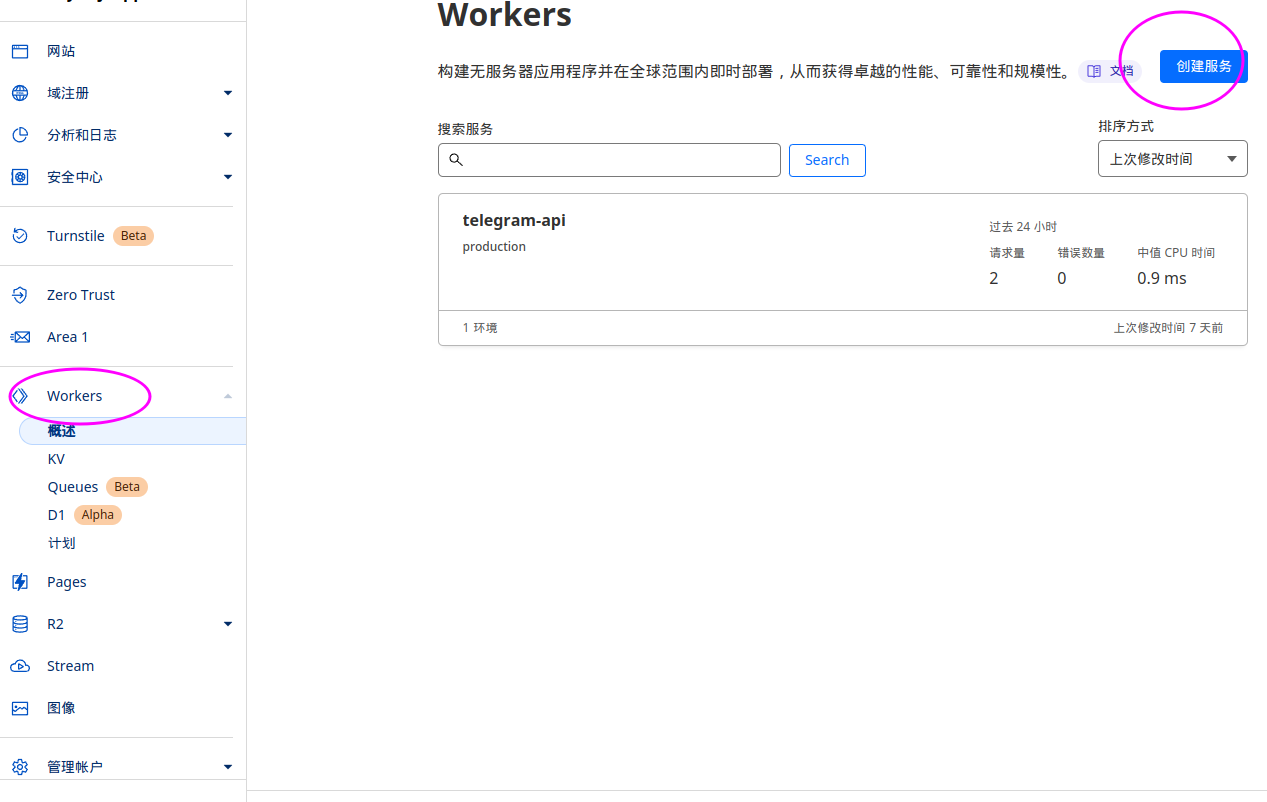
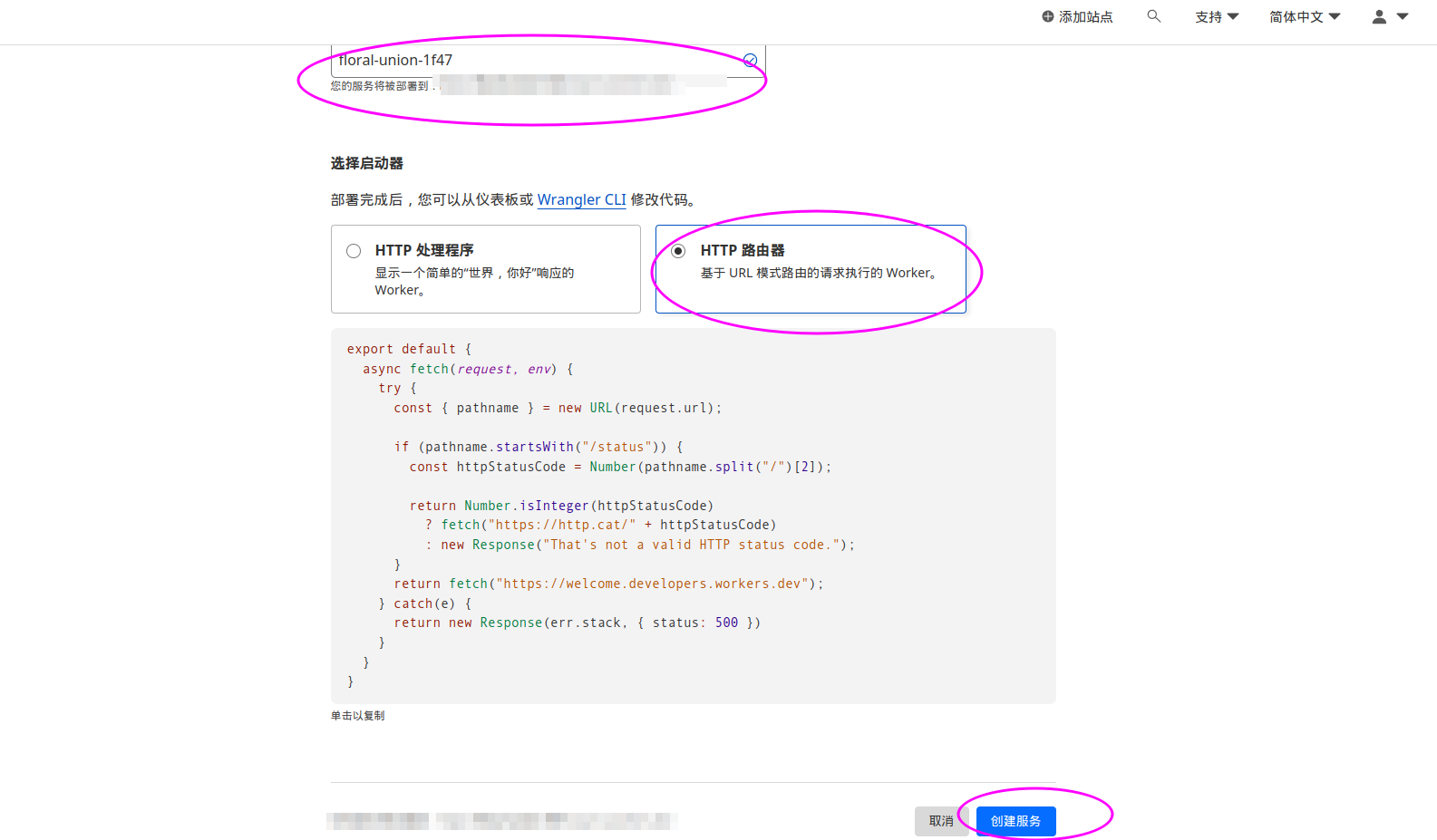
- 名称随意填写,但是下面需要选择
HTTP路由器
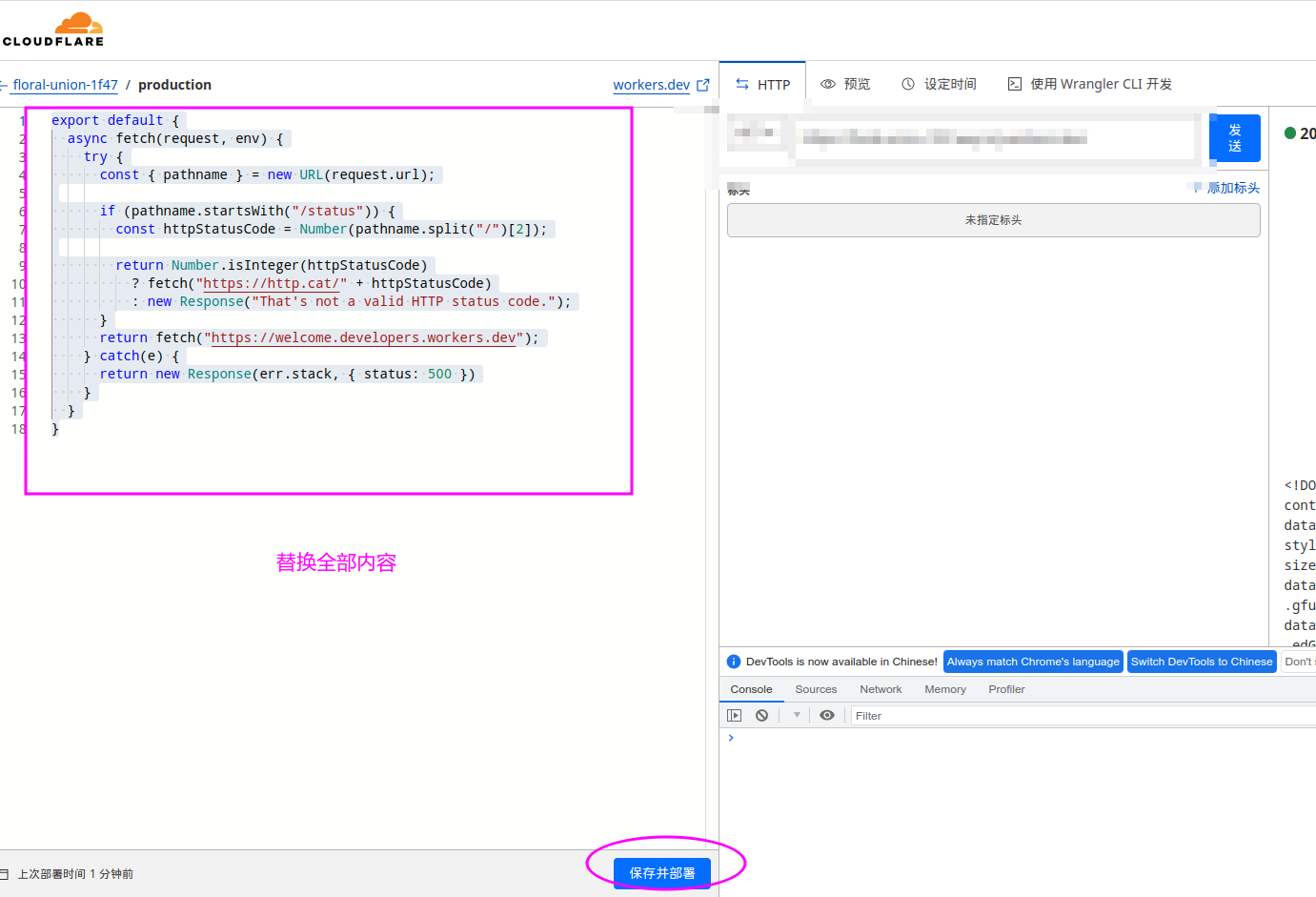
- 创建好之后进行编辑 选择快速编辑按钮
粘贴下面内容
/**
 * 用于检查请求是否使用
 * 相应方法的辅助函数。
 */
const Method = (method) => (req) => req.method.toLowerCase() === method.toLowerCase();
const Get = Method('get');
const Post = Method('post');

const Path = (regExp) => (req) => {
    const url = new URL(req.url);
    const path = url.pathname;
    return regExp.test(path); // 直接返回匹配结果
};

/*
 * 从请求 URL 中获取 bot_token 和 api_method 的正则表达式
 * 分别作为第一个和第二个反向引用。
 */
const URL_PATH_REGEX = /^\/bot(?<bot_token>[^/]+)\/(?<api_method>[a-z]+)/i;

/**
 * Router handles the logic of what handler is matched given conditions
 * for each request.
 */
class Router {
    constructor() {
        this.routes = [];
    }

    addRoute(conditions, handler) { // 改为 addRoute
        this.routes.push({
            conditions,
            handler,
        });
        return this;
    }

    get(url, handler) {
        return this.addRoute([Get, Path(url)], handler);
    }

    post(url, handler) {
        return this.addRoute([Post, Path(url)], handler);
    }

    all(handler) {
        return this.addRoute([], handler);
    }

    route(req) {
        const route = this.resolve(req);

        if (route) {
            return route.handler(req);
        }

        const description = 'No matching route found';
        const error_code = 404;

        return new Response(
            JSON.stringify({
                ok: false,
                error_code,
                description,
            }),
            {
                status: error_code,
                statusText: description,
                headers: {
                    'content-type': 'application/json',
                },
            }
        );
    }

    /**
     * It returns the matching route that returns true
     * for all the conditions if any.
     */
    resolve(req) {
        return this.routes.find((r) => {
            if (!r.conditions || (Array.isArray(r.conditions) && !r.conditions.length)) {
                return true;
            }

            if (typeof r.conditions === 'function') {
                return r.conditions(req);
            }

            return r.conditions.every((c) => c(req));
        });
    }
}

/**
 * 向 Telegram Bot API 发送包含 JSON 数据的 POST 请求
 * 并读取响应体。
 * @param {Request} 请求传入的请求
 */
async function handler(request) {
    const { url, ..._request } = request;
    const { pathname: path, search } = new URL(url);

    // 可能没有匹配的情况,加入错误处理
    const match = path.match(URL_PATH_REGEX);
    if (!match) {
        return new Response(
            JSON.stringify({
                ok: false,
                error_code: 400,
                description: 'Invalid URL format',
            }),
            {
                status: 400,
                headers: { 'Content-Type': 'application/json' },
            }
        );
    }

    const { bot_token, api_method } = match.groups;
    const api_url = `https://api.telegram.org/bot${bot_token}/${api_method}${search}`;

    const newRequest = new Request(api_url, {
        method: request.method,
        headers: request.headers,
        body: request.body,
    });

    const response = await fetch(newRequest);
    const result = await response.text();

    const res = new Response(result, _request);
    res.headers.set('Content-Type', 'application/json');

    return res;
}

/**
 * 处理传入的请求。
 * @param {Request} 请求传入的请求。
 */
async function handleRequest(request) {
    const r = new Router();
    r.get(URL_PATH_REGEX, (req) => handler(req));
    r.post(URL_PATH_REGEX, (req) => handler(req));

    const resp = await r.route(request);
    return resp;
}

/**
 * 接入 fetch 事件。
 */
addEventListener('fetch', (event) => {
    event.respondWith(handleRequest(event.request));
});
- 到此步,使用cf生成域名应该还是访问不了,需要绑定自己的域名
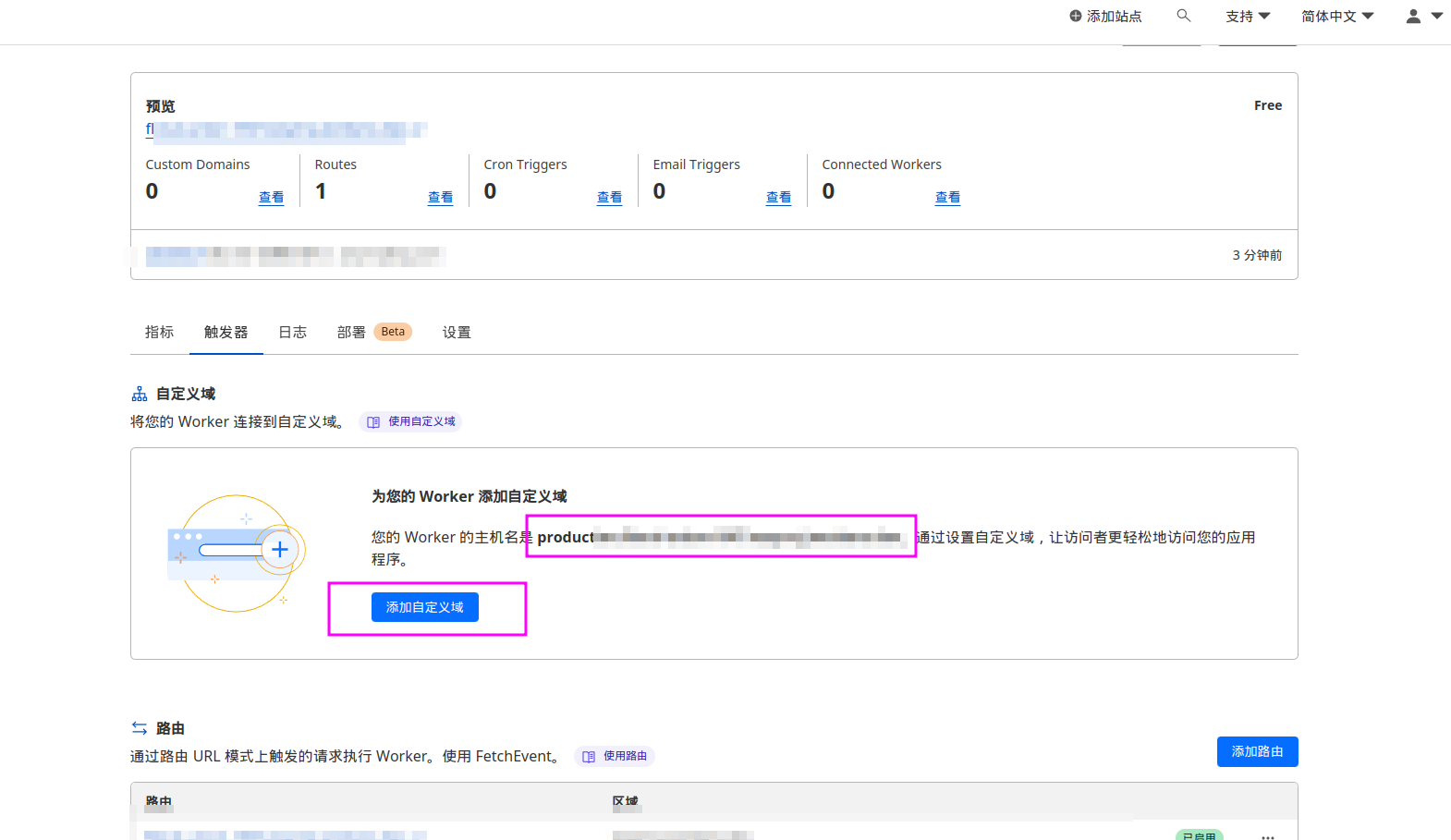
- 之后,只需要把telegram api地址替换成 https://yourdomain.xxx 即可
正文完